Dimensioning BIM Grid Lines
Grids are auxiliary elements that are useful for placing structural elements, such as columns and walls, in a BIM project.
Grids consist of a series of labeled lines.
Use the BIMGridDimension command to measure the distance between grid lines in a BIM drawing. The command dimensions only one sequence of grid lines.
To dimension a sequence of grid lines:
- Do one of the following:
- On the ribbon, click BIM > Annotate > BIM Grid Lines Dimension.
- On the menu, click BIM > Dimension > Grid Lines Dimension.
- Type BIMGridDimension.
- In the graphics area, specify a grid line from the sequence to dimension.
As you move the cursor, the dimension line appears.
- Click to specify where you want to place the dimension lines.
To dimension grid lines by specifying two points:
- Do one of the following:
- On the ribbon, click BIM > Annotate > Dimension Chain > BIM Grid Lines Dimension.
- On the menu, click BIM > Dimension > Grid Lines Dimension.
- Type BIMGridDimension.
- Specify the 2points option.
- In the graphics area, click a point on a grid line from the sequence to dimension to specify the position of the dimension line.
- Click another grid line to specify the second point.
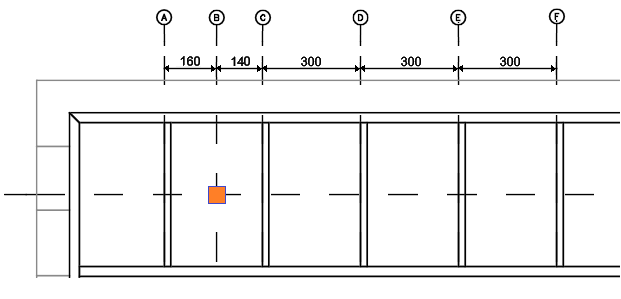
A dimension line is created for the entire sequence of grid lines.
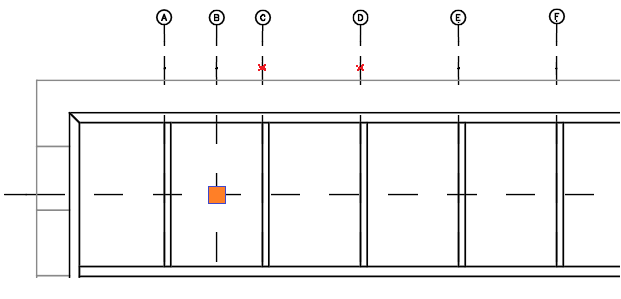
Example:
Access
Command: BIMGridDimension
Menu: BIM > Dimension > Grid Lines Dimension
Ribbon: BIM > Annotate > Dimension Chain > BIM Grid Lines Dimension