
The View Navigator’s Toolbar
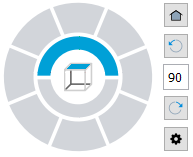
The View Navigator’s toolbar lets you rotate the view by a specified angle and return to the default view.
Icon |
Description |
|---|---|
|
Quick access to the default view |
|
Rotates the view counterclockwise with a specified angle. By default, the rotation angle is 90°. |
|
Lets you specify a rotation angle |
|
Rotates the view clockwise with a specified angle. By default, the rotation angle is 90°. |
|
Displays the View Navigator’s menu |


Related Topics