Converting SimpleNotes

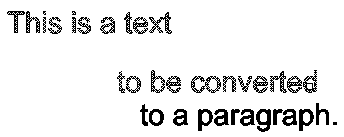
Use the ConvertSimpleNotes command to transform one or multiple selected SimpleNotes entities to a text paragraph.
To convert a set of SimpleNotes to a text paragraph:
- Do one of the following:
- On the ribbon, click XtraTools > Annotation > Convert SimpleNotes.
- On the menu, click XtraTools > Annotation > Convert SimpleNotes.
- Type ConvertSimpleNotes.
- In the dialog box, make the conversion settings:
- In Ordering, specify the sorting mode to use for the selected text entities to build the paragraph. The following options are available:
- Selection set. Sorts the texts in the same order as they were selected.
- Top-down. Sorts the texts based on their insertion points, from top to bottom.
- Alphabetical. Sorts the texts alphabetically.
- In Format, select the options corresponding to the text properties to maintain in the text style.
- Create word-wrap text: Generates the paragraph in word-wrap format. All texts are placed in a single line separated with a blankspace.
- In Ordering, specify the sorting mode to use for the selected text entities to build the paragraph. The following options are available:
- Click OK.
- In the graphics area, specify the SimpleNotes entities to convert.
- Press Enter.
A single SimpleNote entity replaces the previously selected SimpleNotes.

Access
Command: ConvertSimpleNotes
Menu: XtraTools > Annotation > Convert SimpleNotes
Ribbon: XtraTools > Annotation > Convert SimpleNotes
Parent Topic