Fitting Text Width

Use the FitText command to resize the width of a text entity to fit between two selected points.
 FitText accepts only SimpleNote entities.
To fit a text between two selected points:
- Do one of the following:
- On the ribbon, click XtraTools > Annotation > Fit Text.
- On the menu, click XtraTools > Annotation > Fit Text.
- Type FitText.
- In the graphics area, specify the SimpleNote.
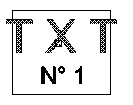
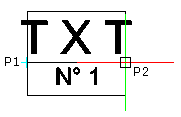
- In the graphics area, specify the endpoint. The command uses the current starting point of the text entity.
- or -
In the graphics area, specify two points defining the location and the new length of the text entity.
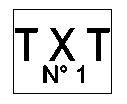
The width of the text entity fits within the specified width:
Access
Command: FitText
Menu: XtraTools > Annotation > Fit Text
Ribbon: XtraTools > Annotation > Fit Text
Parent Topic