修改文字調整

使用 EditTextJustification 指令修改所選文字、段落或屬性圖元的調整點。

tip 注意:文字位置不變。

若要修改文字對齊方式:

  1. 執行下列動作之一:

    • 在功能表上,按一下 XtraTools > 註記 > 編輯文字調整

    • 在功能區上,按一下 XtraTools > 註記 > 編輯文字調整

    • 鍵入 EditTextJustification

  2. 在圖形區域中,指定文字實體。

  3. Enter 鍵。

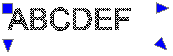
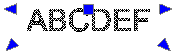
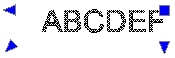
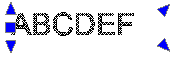
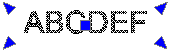
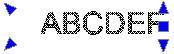
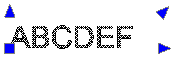
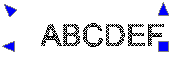
  4. 指定對齊方式選項:

    • 開始。文字基線的起點

    • 中心。文字基線的中心點

    • 中間。文字的中點

    • 。文字基線的右點

    • TL。文字的上左點

      command_edittextjustification_tl

    • TC。文字的上中點

      command_edittextjustification_tc

    • TR。文字的上右點

      command_edittextjustification_tr

    • ML。文字的中左點

      command_edittextjustification_ml

    • MC。文字的中中點

      command_edittextjustification_mc

    • MR。文字的中右點

      command_edittextjustification_mr

    • BL。文字的下左點

      command_edittextjustification_bl

    • BC。文字的下中點

      command_edittextjustification_bc

    • BR。文字的下右點

      command_edittextjustification_br

  5. Enter 鍵。

存取方式

指令: EditTextJustification

功能表:XtraTools > 註記 > 編輯文字調整

功能區:XtraTools > 註記 > 編輯文字調整

相關主題

修改文字方向

父主題

註記工具