修改文本对齐

使用 EditTextJustification 命令可修改选定文本、段落或属性对象的对齐点。

tip 注意:文本位置不变。

要修改文本对齐方式:

  1. 请执行以下操作之一:

    • 在功能区上,单击 XtraTools > 注释 > 编辑文本对正

    • 在菜单上,单击 XtraTools > 注释 > 编辑文本对正

    • 键入 EditTextJustification

  2. 在图形区域中,指定文本实体。

  3. Enter

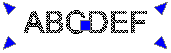
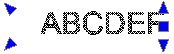
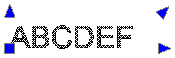
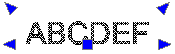
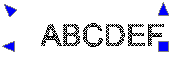
  4. 指定对齐方式选项:

    • 开始。文本基线的起点

    • 中心。文本基线的中心点

    • 中间。文本的中点

    • 。文本基线的右侧点

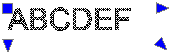
    • TL。文本的左上点

      command_edittextjustification_tl

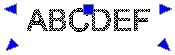
    • TC。文本的中上点

      command_edittextjustification_tc

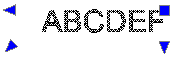
    • TR。文本的右上点

      command_edittextjustification_tr

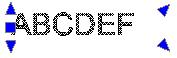
    • ML。文本的左中点

      command_edittextjustification_ml

    • MC。文本的正中点

      command_edittextjustification_mc

    • MR。文本的右中点

      command_edittextjustification_mr

    • BL。文本的左下点

      command_edittextjustification_bl

    • BC。文本的中下点

      command_edittextjustification_bc

    • BR。文本的右下点

      command_edittextjustification_br

  5. Enter

访问方式

命令: EditTextJustification

菜单:XtraTools > 注释 > 编辑文本对正

功能区:XtraTools > 注释 > 编辑文本对正

相关主题

修改文字方向

父主题

注释工具