
Locking an Angle Override
When creating and modifying Lines, you can restrict cursor movement to a direction defined by a specified angle override.
To specify an angle override, type < followed by an angle value.
To draw a line at a specified angle to another line, align the CCS with an existing line.
Example:
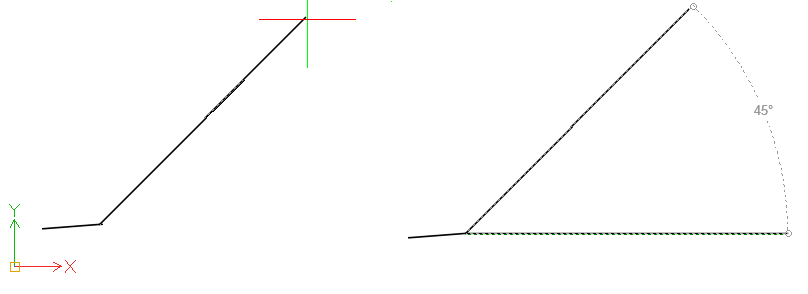
To specify 45° override angle for a line segment, type <45.
To draw a line at a specified angle:
 Aligning the CCS with an existing line lets you draw a line at a specified angle to another line.
Run a command which requires point entry, such as the Line or PolyLine command.
Specify the first point.
When being prompted to specify the next point, specify an angle override. For example, type < 45.
Note: The specified override angle has effect only for specifying the second point.
Move the cursor to indicate the direction.
The cursor is locked along the specified angle direction overriding Snap, Ortho mode and Polar snap.
Click a point along the line or specify the length of the line.
Related Topics