
Converting SimpleNotes
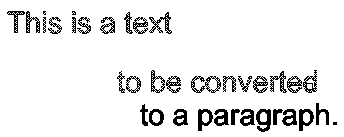
Use the ConvertSimpleNotes command to transform one or multiple selected SimpleNotes entities to a text paragraph.
To convert a set of SimpleNotes to a text paragraph:
Do one of the following:
On the ribbon, click XtraTools > Annotation > Convert SimpleNotes.
On the menu, click XtraTools > Annotation > Convert SimpleNotes.
Type ConvertSimpleNotes.
In the dialog box, make the conversion settings:
In Ordering, specify the sorting mode to use for the selected text entities to build the paragraph. The following options are available:
Selection set. Sorts the texts in the same order as they were selected.
Top-down. Sorts the texts based on their insertion points, from top to bottom.
Alphabetical. Sorts the texts alphabetically.
In Format, select the options corresponding to the text properties to maintain in the text style.
Create word-wrap text: Generates the paragraph in word-wrap format. All texts are placed in a single line separated with a blankspace.
Click OK.
In the graphics area, specify the SimpleNotes entities to convert.
Press Enter.
A single SimpleNote entity replaces the previously selected SimpleNotes.

Access
Command: ConvertSimpleNotes
Menu: XtraTools > Annotation > Convert SimpleNotes
Ribbon: XtraTools > Annotation > Convert SimpleNotes
Parent Topic