
Modifying Text Justification
Use the EditTextJustification command to modify the justification point of selected text, paragraph, or attribute entities.
 Not: Metin pozisyonu değişmez.
To modify the text justification:
Aşağıdakilerden birini yapın:
On the ribbon, click XtraTools > Annotation > Edit Text Justification.
On the menu, click XtraTools > Annotation > Edit Text Justification.
Type EditTextJustification.
In the graphics area, specify the text entities.
Enter tuşuna basın.
Specify the justification option:
Start. Start point of the text baseline
Center. Center point of the text baseline
Middle. Middle point of the text
Right. Right point of the text baseline
TL. Top left point of the text

TC. Top center point of the text

TR. Top right point of the text
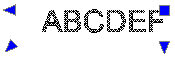
ML. Middle left point of the text

MC. Middle center point of the text

MR. Middle right point of the text
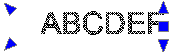
BL. Bottom left point of the text
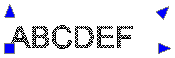
BC. Bottom center point of the text

BR. Bottom right point of the text
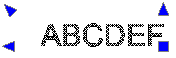
Enter tuşuna basın.
Erişim
Command: EditTextJustification
Menu: XtraTools > Annotation > Edit Text Justification
Ribbon: XtraTools > Annotation > Edit Text Justification
İlgili Konular
Üst Öğe Konusu