
Modifying Text Orientation
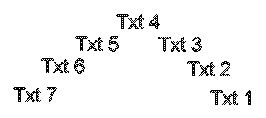
Use the EditTextOrientation command to rotate selected text, paragraph, or attribute entities keeping their current position.
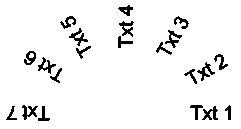
Additionally, the command provides the More Readable option that allows you to automatically rotate the selected text, paragraph, or attribute entities so that their orientation is as close as possible to horizontal read. For example, a horizontal upside-down text becomes horizontal right-side up.
To modify the text orientation:
Aşağıdakilerden birini yapın:
On the ribbon, click XtraTools > Annotation > Edit Text Orientation.
On the menu, click XtraTools > Annotation > Edit Text Orientation.
Type EditTextOrientation.
In the graphics area, specify the text entities.
Enter tuşuna basın.
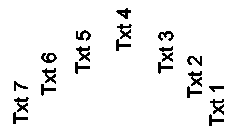
Type the absolute rotation angle (for example, 90) and press Enter.
The selected text is rotated.
To modify text orientation for more readability:
Aşağıdakilerden birini yapın:
On the ribbon, click XtraTools > Annotation > Edit Text Orientation.
On the menu, click XtraTools > Annotation > Edit Text Orientation.
Type EditTextOrientation.
In the graphics area, specify the text entities.
Enter tuşuna basın.
Specify the More Readable option and press Enter.
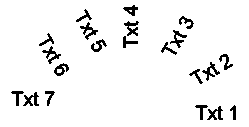
 Not: Seçilen varlıklar doğru pozisyondaysa, Daha Okunabilir seçeneği onları döndürmez.
Erişim
Command: EditTextOrientation
Menu: XtraTools > Annotation > Edit Text Orientation
Ribbon: XtraTools > Annotation > Edit Text Orientation
İlgili Konular
Üst Öğe Konusu