
Constructing Rings
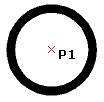
You can construct a Ring of any thickness or size by specifying the diameters of two concentric Circles. The area between the Circles is filled. A filled Circle has an inner diameter of zero.
To construct Rings and filled Circles:
Click Draw > Ring (or type Ring).
In the graphics area, specify the inner diameter or enter a value. For a filled circle, enter 0.
Specify the outer diameter, or enter a value.
In the graphics area, specify the center point of the Ring.
(Optional) Continue to specify the centers of identical Rings.
Press Enter to end the command.
Access
Command: Ring
Menu: Draw > Ring
Ribbon: Home > Draw > (Flyout) Ring
Related Topics