
Creating a Square Construction Line around a Circle or an Arc
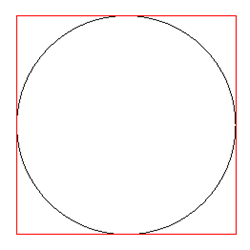
Use the AM_ConstCircLI command to create a square construction line around a circle or an arc.
To create a square construction line around a circle or an arc:
Type AM_ConstCircLI at the command prompt.
In the graphics area, specify a circle or an arc.
A square construction line circumscribes the specified circle or arc.
If necessary, specify other circles and arcs, and press Enter.
Access
Command: AM_ConstCircLI
Parent Topic