
Creating a Circular Construction Line Tangent to a Linear Entity
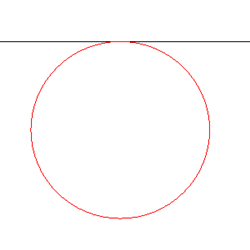
Use the AM_ConstC2 command to create a circular construction line that is tangent to a specified linear entity, such as a line, a ray, or xline.
To create a circular construction line tangent to a linear entity:
Type AM_ConstC2 at the command prompt.
In the graphics area, specify:
A linear entity the circular construction line is tangent to.
A point for the circle to pass through.
Specify the radius of the circle and press Enter.
Access
Command: Am_ConstC2
Related Topics
Parallel and Perpendicular Construction Lines
Construction Lines at an Angle
Parent Topic