
Creating Concentric Construction Lines
Use the AM_ConstCC command to create circular construction lines that are concentric to a specified circle or arc.
There are two methods to define concentric circles:
By specifying through points
By specifying the diameter of each circle
To create concentric construction lines by specifying points:
Type AM_ConstCC at the command prompt.
In the graphics area, specify:
A circle or an arc for the circular construction line to be concentric to.
A point for the circular construction line to pass through.
More through points to define other circular construction lines, or press Enter.
 To draw multiple circular construction lines at once, specify a set of diameters separated by |.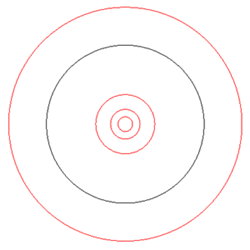
To create concentric construction lines by specifying diameter:
Type AM_ConstCC at the command prompt.
In the graphics area, specify a circle or an arc for the circular construction line to be concentric to.
Specify the Diameter option and type a value.
To draw multiple circular construction lines at once, specify a set of diameters separated by |.
Access
Command: Am_ConstCC
Related Topics
Parallel and Perpendicular Construction Lines
Construction Lines at an Angle
Parent Topic