
Creating a Centerline Between Two Lines
The AM_CenInBet command places a centerline along the bisector of the angle between two lines.
Use the AM_CenInBet command:
To mark two lines as symmetrical
To bisect the angle between two non-parallel lines
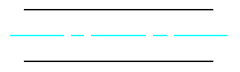
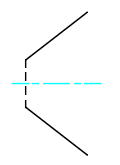
To create a centerline between two lines:
Do one of the following:
On the ribbon, click Home > Centerlines > Centerlines > Centerline in-between.
Type AM_CenInBet.
In the graphics area, specify:
The first line
The second line
The centerline appears.
Access
Ribbon: Home > Centerlines > Centerlines > Centerline in-between
Command: AM_CenInBet
Related Topics
Creating Centerlines by Two Points
Parent Topic