
Creating Centerlines by Two Points
Use the AM_Centerline command to create centerlines by specifying two points.
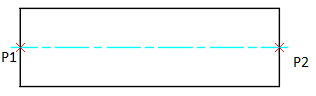
To create a centerline by two points:
Do one of the following:
On the ribbon, click Home > Centerlines > Centerline > Centerline.
Type AM_Centerline.
In the graphics area, specify:
A point to start the line segment.
A point to end the line segment.
The centerline is created.
Note: When selecting points on the contour edge, the centerline extends beyond the contour of the entity or feature.
Access
Ribbon: Home > Centerlines > Centerlines > Centerline
Command: AM_Centerline
Related Topics
Parent Topic